In order for emails, that are sent from Godo to guests, to be sent from the email address of your property it is important to follow these instructions.
Please note that if you use Outlook then these instructions will not work for you, you will need to use a Mailgun or SMTP2go service, see instructions here: Outgoing email settings for Outlook
If you use Gmail:
Start by following this link into your Google account and create an App password: https://myaccount.google.com/apppasswords
If you don’t have this option, it might be because:
- 2-Step Verification is not set up for your account
- Your account is through work, school, or other organisation
- You turned on Advanced Protection
Once you have managed to create an App password, please login to the owner account in Godo Property and go to Settings - Account - Outgoing email settings.
There you need to input the following information:
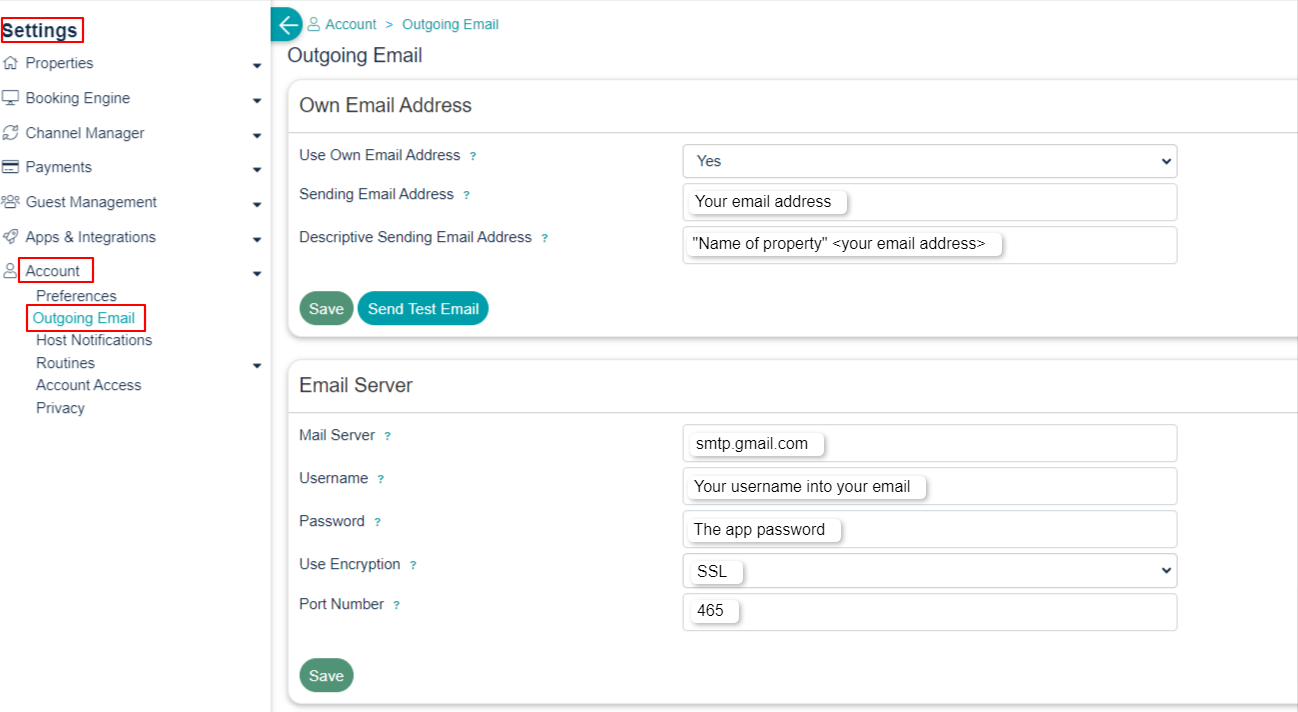
When everything is setup you need to click "Send Test Email" and if you receive a Success then you are all set. If you are returned an error, please contact us for support.
If you do not use Gmail:
If you have another email provider that Gmail, like Síminn, Vodafone or any other you need to contact them to get the following information:
Mail server:
Encryption: Fx. SSL or TSL
Port number:
When you receive those information please login to the owner account in Godo Property and go to Settings - Account - Outgoing email settings.
There you need to input the following information:
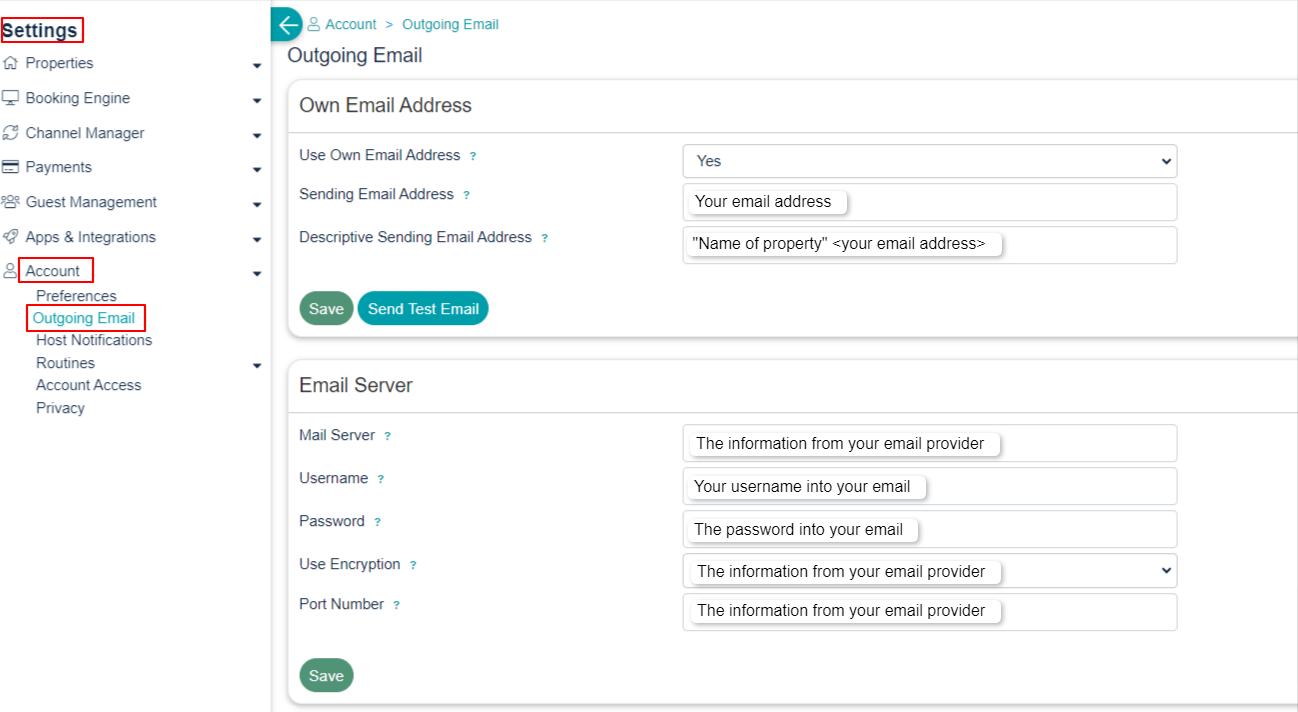
When everything is setup you need to click "Send Test Email" and if you receive a Success then you are all set. If you are returned an error, please contact us for support.
Was this article helpful?
That’s Great!
Thank you for your feedback
Sorry! We couldn't be helpful
Thank you for your feedback
Feedback sent
We appreciate your effort and will try to fix the article